How to Repurpose a Podcast Interview Into Useful Business Content
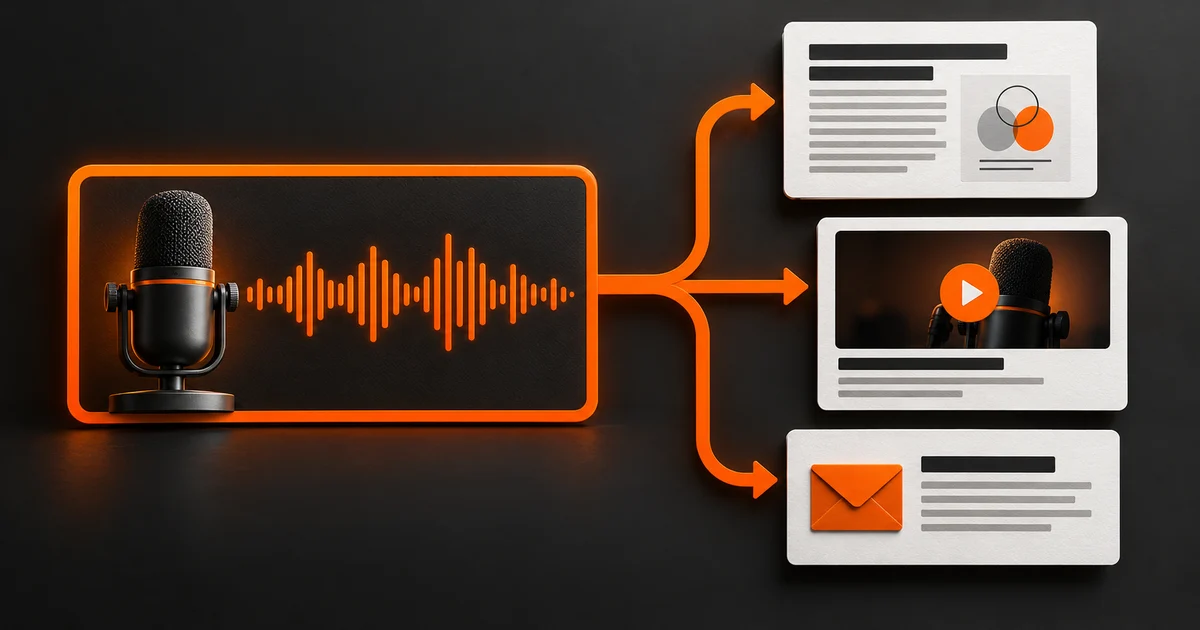
To repurpose podcast content, select a useful answer from an interview, record its source and context, then adapt it to the formats your audience needs. Build an article when the idea needs explanation, a clip when the spoken answer stands on its own, or an email when it starts a relevant conversation. Review every version against the recording before publishing.
Start with an answer worth using again
An interview can contain a sharp explanation of a problem your buyers face, surrounded by introductions, stories, and conversational detours. Your first task is to find that explanation. Repeating the episode title across several channels does little to make the underlying expertise easier to use.
Listen for a decision, an objection, a comparison, or a mistake the expert can explain from experience. Ask what a prospective client could understand or do differently after hearing this answer. Keep the actual explanation and its limits together.
For an established founder, this is one way to address the Authority Gap: make useful judgment visible beyond the original conversation. The goal is a body of work that helps people understand your expertise. Choose the assets after you know what the recording can support.
1. Build a small source map before editing
Keep the recording and a checked transcript together. A transcript helps you search the conversation; the recording lets you confirm the words, tone, and surrounding explanation. W3C describes a transcript as including speech and the non-speech information needed to understand the content. An edited article serves a different purpose and should not silently replace the transcript.
For each candidate answer, record the episode, speaker, start and end timestamps, buyer question, main point, supporting example, and qualification. Note any fact that needs a fresh source. A claim about a product, price, or policy may have changed since the interview.
Before production, check the agreed permissions for the recording, guest contributions, music, and supplied images. If you appeared on someone else's show, confirm the available files and reuse terms with the host before planning the outputs.
2. Give each asset a specific job
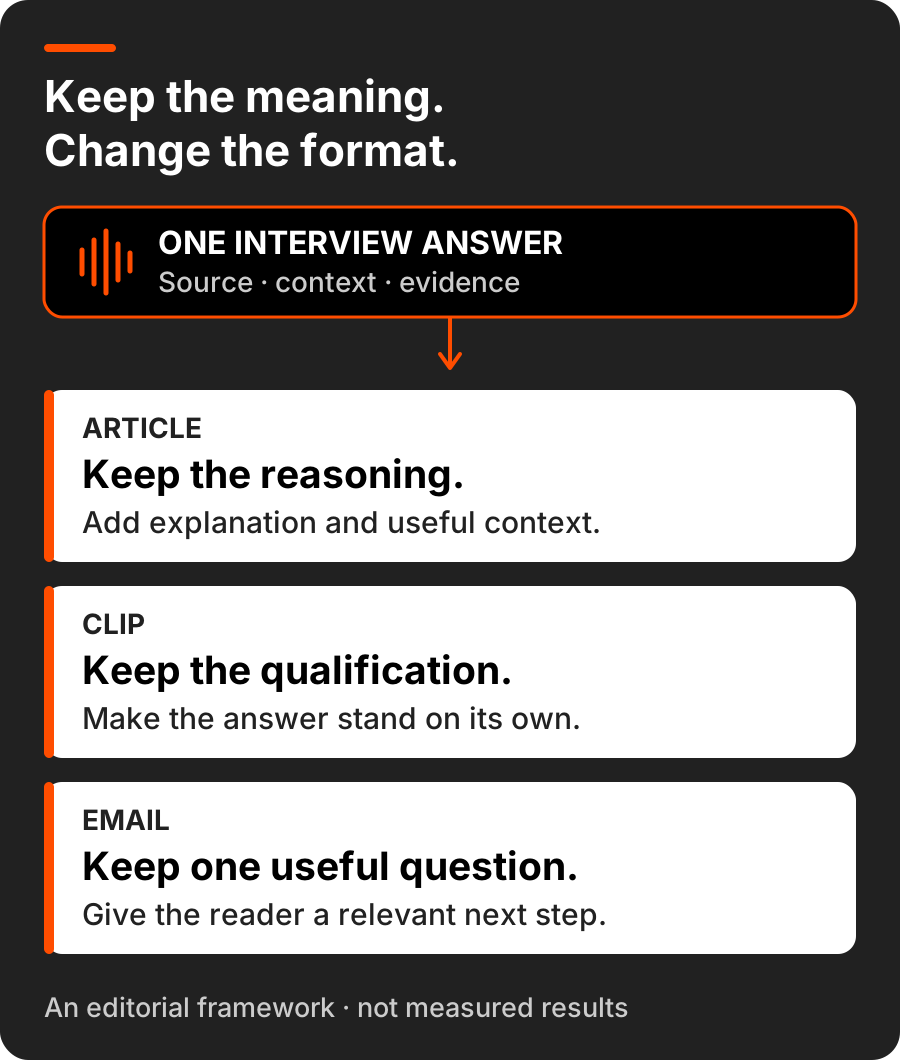
A complex explanation may need an article with definitions, examples, and supporting links. A concise answer may work as a clip if someone can understand it without hearing the previous ten minutes. An email can introduce one useful question and invite the reader to explore the fuller explanation.
Choose the format for the audience's situation and the material available. An audio-only recording can support an article or an audiogram; it cannot supply footage you never captured. You also do not need a new show, new recording, or every social channel to make an existing interview useful.
Explain the decision
Develop the reasoning, add verified context, and help the reader apply it. Organize around the question rather than the interview's running order.
Deliver one complete answer
Keep the setup and any qualification the answer depends on. A stronger hook is useful only if the clip still means what the speaker meant.
Open a useful conversation
Give the reader a reason to care now, share one practical takeaway, and point to a relevant resource or invite a substantive reply.
3. Adapt the explanation without changing its meaning
For an article, remove conversational repetition, explain unfamiliar terms, and arrange the material around the reader's problem. Add your own analysis or verified context where it helps, and distinguish that addition from what the guest said. Keep direct quotes accurate; use attributed paraphrase when you have changed the wording.
Google's content guidance asks whether a page offers original analysis and substantial value instead of simply rewriting other material. A transcript can be valuable in its own right. A separate article earns its place by doing another job: helping the reader understand and apply a particular idea.
For a clip, listen to the sentences before and after your chosen excerpt. If the expert says an approach works only under certain conditions, keep those conditions in the edit or choose another excerpt. Add enough introduction to identify the subject. Avoid a headline that turns a cautious answer into a universal promise.
Review captions against the audio, including names, technical terms, and words that reverse the meaning, such as ‘not.’ W3C warns that automatic captions alone are insufficient without checking accuracy. YouTube's native tool can link eligible Shorts made from your own uploaded videos back to the original; check the current feature requirements before using it.
A worked example: one explanation, three useful versions
Imagine an operations consultant discussing why a business owner should clarify responsibilities before buying new project-management software. This is a hypothetical example, not an AMN client case study, a quote from a guest, or a report of results.
The interview contains an explanation of the problem, a simple handoff example, and an exception: software can help when responsibilities are clear but the current tool cannot support the process. The source note records all three. That exception needs to survive each version.
Diagnose the handoff
Answer ‘Do we need new software or clearer responsibilities?’ Explain how to trace one delayed task, identify its owner, and distinguish a process gap from a tool limitation.
Keep the exception
Use the complete explanation of why a new tool cannot assign accountability for you. Retain the condition under which changing software could help.
Ask one concrete question
Invite the reader to identify who owns the next handoff on a delayed project. Link to the full diagnostic article for the reasoning and the software exception.
4. Connect each version to a relevant destination
Publish the substantial explanation somewhere your team can maintain, then point interested readers to it from the supporting pieces. Give the article a clear title, an accurate byline, a useful next step, and a link to the original interview when available. Keep the source note internally so later corrections reach every version.
A social post about choosing software should lead to the diagnostic guide it promises. An email offering a checklist should open that checklist. Use the assessment application when the reader is ready to discuss their own authority strategy, and explain that step clearly.
An owned website resource and a guest appearance play different roles. You can maintain the resource as the subject develops while a relevant appearance introduces your perspective to another audience. Our owned-versus-earned-media guide explains how to plan those roles together.
5. Review the finished assets together
Review the actual article, exported clip, captions, thumbnail, and email as a set. An accurate script does not catch a misleading thumbnail or a final edit that removed the qualification. Name an owner for factual review and an owner for publication; one person may do both.
If a source fact changes, update the related assets you can control. If the interview cannot support an interesting claim, leave that claim out or ask the expert for the missing explanation. AI can help find passages and organize drafts, but it does not establish that a statement is true or approved.
A practical release check
- The source note identifies the recording, speaker, timestamps, and permission status.
- Every quote, caption, headline, and example preserves the speaker's meaning.
- Current facts are checked; hypothetical examples and added analysis are clear.
- Each version answers a useful question and works in its actual format.
- The destination, next step, publishing owner, and correction owner are confirmed.
Use the response to improve the next edit
Review whether each asset did its intended job. For the article, look at relevant visits and the questions readers still ask. For the clip, examine whether viewers stay long enough to hear the answer and seek the full resource. For email, consider substantive replies and visits to the promised destination.
Then connect those observations to verified inquiries and sales conversations where you can. A view, click, or recorded lead event is a different signal from a qualified inquiry or a booked assessment. Keep those definitions separate when deciding what to produce next.
Start with one existing interview and one useful answer. Make the source traceable, give each version a clear purpose, and publish only the pieces your team can review and maintain. That turns reuse into a repeatable editorial process grounded in the expertise you already have.
Build a system around the expertise you already have
Explore how the Authority Formula connects strategy, content, technology, and distribution. Apply for a complimentary Authority Assessment to identify your Authority Gap and the next priorities for your business.